Home/Computers & Office/Art Tablets
Art Tablets
Our main art tablets guide is pinned first. The other 3 narrow the list to a specific need.
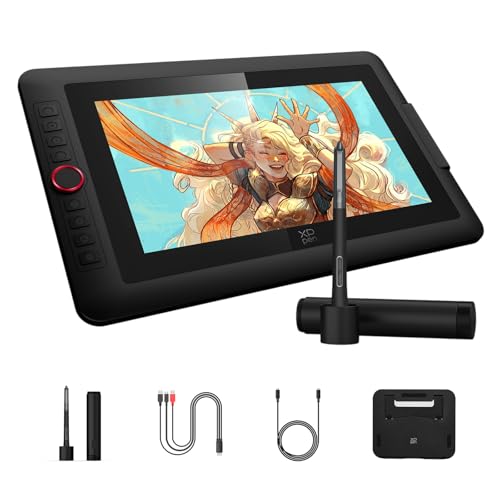
Best Art Tablet for Beginners (2026)
Top pick: XP-Pen XPPen Artist 13.3 Pro V2 Drawing Tablet
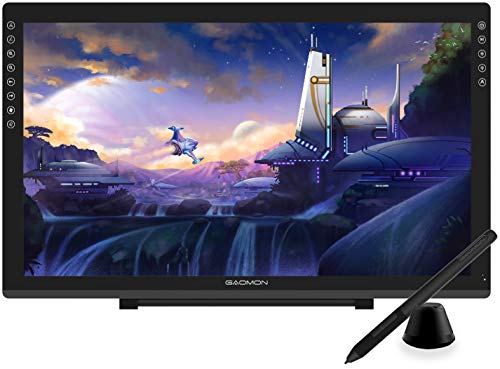
Best Art Tablets for Animation (2026)
Top pick: GAOMON PD2200 Drawing Tablet

Best Portable Art Tablet (2026)
Top pick: XP-Pen XPPen Magic Drawing Pad 12.2 Inch Standalone Drawing Tablet

Best Standalone Art Tablets (2026)
Top pick: UGEE Drawing Tablet
How to choose a art tablet
Art tablets in this category differ in how the pen behaves when you lean it, how far off-center the screen stays readable, and whether the tablet carries cameras for reference photos. Tilt runs from basic support to 60° recognition, viewing angles run from 89° to 178°, and two tablets carry 13MP rear and 8MP front cameras. Those three differences decide how the tablet handles shading, shared viewing, and capturing reference material.
Tilt recognition on the pen
Tilt recognition is separate from pressure levels: pressure changes how heavy a line is, while tilt changes the angle of the mark when you lean the pen, which is how shading works with a real pencil. Across these tablets, tilt runs from tilt support on the GAOMON PD2200 battery-free AP32 pen to 60° tilt recognition on the UGEE UE12, the XP-Pen Magic Drawing Pad, and the HUION KAMVAS Slate 11. The GAOMON pen gives tilt support, while the other three pens each state 60°. A 60° tilt figure states the widest lean the tablet reads, so check the tilt figure when shading with the side of the pen matters to your drawing.
Viewing angle of the screen
Viewing angle states how far to the side you can sit before the image washes out, which matters when someone beside you watches you draw or when you tilt the tablet on a stand. The GAOMON PD2200 states 89° in both directions, and the XP-Pen Artist 13.3 Pro V2 states a 178° viewing angle on its IPS panel. Those are the two viewing-angle figures in this category. A wider viewing angle keeps colors and lines readable from the side, so the angle matters most when you draw with the tablet flat on a desk or share the screen with someone next to you. The 178° figure on the XP-Pen sits above the 89° figure on the GAOMON.
Cameras on the tablet
Two tablets in this category carry cameras, and both give the same figures: a 13MP rear camera and an 8MP front camera on the XP-Pen Magic Drawing Pad and the HUION KAMVAS Slate 11. The HUION notes a 13MP rear camera with flash and an 8MP front camera, while the XP-Pen notes a thirteen MP rear camera and an eight MP front camera. A rear camera captures reference photos of a scene, a sketchbook page, or a subject you want to draw, and a front camera handles video calls without a second device. When you want the tablet to double as your camera for reference shots, check that the tablet you pick is one of the two that carry cameras.