Best Art Tablet for Beginners (2026)

We earn a commission when you buy through our links, at no extra cost to you. As an Amazon Associate I earn from qualifying purchases.
Quick answer
You want a first drawing tablet that works with the computer you already own, and the XP-Pen XPPen Artist 13.3 Pro V2 Drawing Tablet fits that start: its 13.3-inch Full HD screen, 16K pressure levels and Red Dial give a beginner direct control over brush size and zoom. The standalone picks below draw with no computer at all.
Ranked at a glance
| # | Product | Screen size | Pressure levels | WiseScore | Link |
|---|---|---|---|---|---|
| 1 | 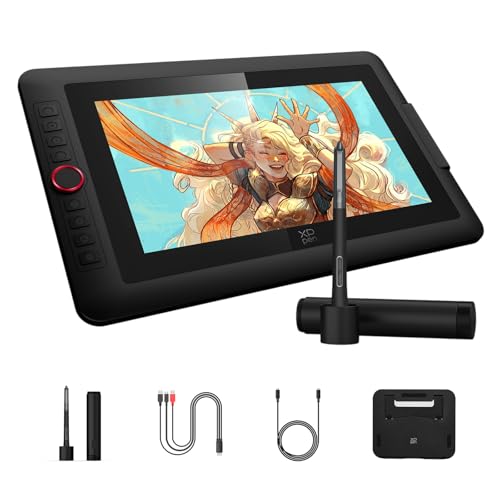 XP-Pen XPPen Artist 13.3 Pro V2 Drawing TabletBest Overall | — | — | 9.3/10 | Check on Amazon → |
| 2 |  PicassoTab 11" Standalone Drawing TabletSecond Pick | — | — | 9.2/10 | Check on Amazon → |
| 3 | 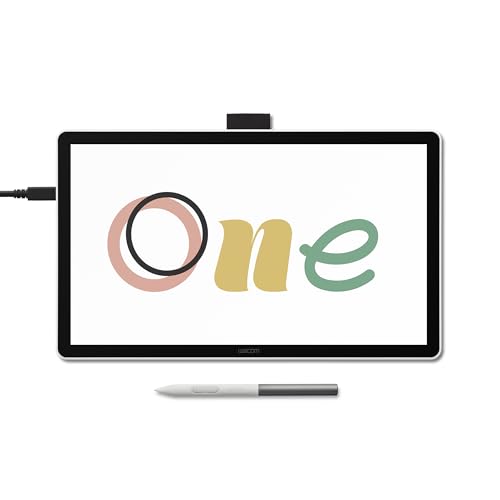 Wacom One 14Also Consider | — | — | 9.1/10 | Check on Amazon → |
| 4 |  Frunsi RubensTab T11 Pro standalone Drawing TabletAlso Consider | — | — | 9.0/10 | Check on Amazon → |
| 5 |  Frunsi T8 Standalone Drawing TabletAlso Consider | — | — | 8.9/10 | Check on Amazon → |
| 6 | 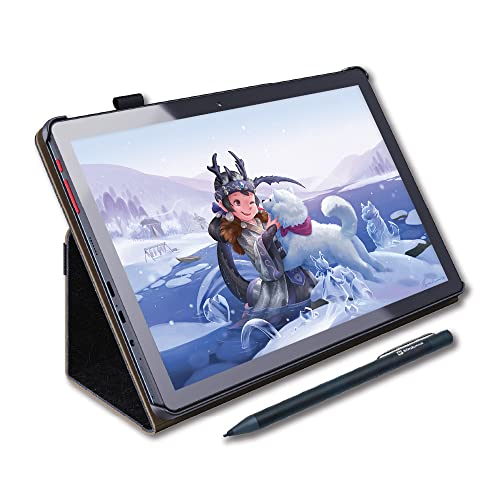 Simbans PicassoTab X Drawing TabletAlso Consider | — | — | 8.8/10 | Check on Amazon → |
The lineup, one by one
XP-Pen XPPen Artist 13.3 Pro V2 Drawing Tablet
The 13.3-inch Full HD screen, 16K pressure levels and Red Dial define this XP-Pen for a beginner setup.
Why #1: No single top figure here; its WiseScore comes from its overall specs plus Amazon sales data.
- Color gamut
- 125%
- Resolution
- Full HD
- Stylus included
- Yes
- Warranty
- 1 Year
Good fit if
- You draw on a Windows, Mac, Chrome OS or Linux computer
- You want 16K pressure levels and a Red Dial for brush control
Look elsewhere if
- You want to draw without a computer connected
- You want a screen larger than 13.3 inches
The XP-Pen Artist 13.3 Pro V2 has a 13.3-inch full-laminated screen with AG Film, Full HD resolution and an IPS panel with a 178° viewing angle. Its color coverage runs to 125% sRGB, 107% Adobe RGB and 95% Display P3, with 250 cd/m² brightness and a 1000:1 contrast ratio. Its X3 Pro pen (PD21C) works at 16K pressure levels with a 90ms initial response rate. The Red Dial and 8 customizable keys handle brush size, navigation and zoom, and the included stand AC42 adjusts through 90 degrees.
PicassoTab 11" Standalone Drawing Tablet
The 11-inch standalone PicassoTab X11 pairs a 2K laminated screen with 6GB RAM and 128GB storage.
Why #2: No single top figure here; its WiseScore comes from its overall specs plus Amazon sales data.
- Resolution
- 2K
- Stylus included
- Yes
- Warranty
- 1 Year
Good fit if
- You want to draw with no computer attached
- You want 128GB storage expandable up to 1TB
Look elsewhere if
- You want a screen larger than 11 inches
- You want 16K pressure levels from the pen
The PicassoTab X11 is a standalone tablet that needs no computer. Its fully laminated 11-inch 2K screen pairs with a 4096-level pressure-sensitive stylus. An octa-core processor runs with 6GB RAM and 128GB storage, expandable up to 1TB. Five creative apps come preloaded for sketching, painting, animation, tutorials and guided lessons. Six bonus items arrive in the box: lifetime Pro upgrade for Concepts, lifetime VIP upgrade for Artixo, a tablet case, a drawing glove, a universal power adapter and a pre-installed screen protector.
Wacom One 14
The Wacom One 14 pairs a 14-inch IPS Full HD laminated screen with a battery-free pen.
Why #3: No single top figure here; its WiseScore comes from its overall specs plus Amazon sales data.
- Color gamut
- 98%
- Resolution
- Full HD
- Stylus included
- Yes
- Warranty
- 1 year
Good fit if
- You want a 14-inch screen for drawing
- You draw on Windows, Mac or Chromebook
Look elsewhere if
- You want to draw with no computer attached
- You want a 2K screen resolution
The Wacom One 14 has a laminated 14-inch IPS Full HD display with 98% sRGB color accuracy and a paper-like texture. Its battery-free pen never needs charging and captures light lines and bold strokes with responsive pressure sensitivity. The starter kit includes trials of Clip Studio Paint Pro, Magma, Concepts and Foxit software, plus Skillshare training courses. It connects through a single USB-C cable and works with PC (Windows 10 or later), Mac (OS 13 or later) and Chromebook.
Frunsi RubensTab T11 Pro standalone Drawing Tablet
The 10.1-inch Frunsi T11 Pro pairs a 1920x1200P screen with a 5800mAh battery.
Why #4: No single top figure here; its WiseScore comes from its overall specs plus Amazon sales data.
- Resolution
- 1920x1200P
- Warranty
- 12-month
Good fit if
- You want up to 5 hours of use away from power
- You want a standalone tablet with a 10.1-inch screen
Look elsewhere if
- You want a screen larger than 10.1 inches
- You want up to 20 hours of drawing per charge
The Frunsi RubensTab T11 Pro is a standalone tablet that needs no computer. Its 10.1-inch Full HD IPS screen runs at 1920x1200P, and its octa-core CPU runs the pre-installed drawing apps. A 5800mAh battery gives up to 5 hours of continuous use, with USB-C charging and support for a mobile power bank during travel. The pressure-sensitive pen needs no battery, and multi-touch handles zooming, panning and scrolling. An adjustable stand case comes included and covers desktop use and travel.
Frunsi T8 Standalone Drawing Tablet
The 8-inch Frunsi T8 pairs Android 13 with a 4000mAh battery for standalone drawing.
Why #5: No single top figure here; its WiseScore comes from its overall specs plus Amazon sales data.
- Resolution
- 1200x800
Good fit if
- You want up to 20 hours of drawing per charge
- You want an 8-inch screen for drawing on the move
Look elsewhere if
- You want a screen larger than 8 inches
- You want 6GB RAM for multitasking
The Frunsi T8 is a standalone tablet that needs no computer. Its 8-inch display runs at 1200x800 under Android 13, with an MTK quad-core CPU, 4GB RAM and 64GB storage expandable to 256GB. A 4000mAh battery gives up to 20 hours of drawing. The tablet installs apps such as SketchBook, ArtFlow and ibis Paint X, and it arrives with pre-installed drawing applications, comprehensive tutorials and bonus items for beginners, artists and students.
Simbans PicassoTab X Drawing Tablet
The 10-inch Simbans PicassoTab X pairs an IPS HD screen with 64GB of storage.
Why #6: No single top figure here; its WiseScore comes from its overall specs plus Amazon sales data.
- Resolution
- HD
- Stylus included
- Yes
- Warranty
- 1-year
Good fit if
- You want a 10-inch screen with a pen included
- You want to watch movies through a micro HDMI port
Look elsewhere if
- You want a 2K screen resolution
- You want 128GB of built-in storage
The Simbans PicassoTab X has a 10-inch IPS HD screen, a MediaTek quad-core processor, 4GB RAM and a 64GB disk for downloading apps from the Play Store. An active Pen comes in the box, and drawing and animation apps come pre-installed for drawing, animation and note-taking in the classroom. Four bonus items arrive with the tablet: a tablet case, a drawing glove, a universal power adaptor and a pre-installed screen protector.
Worth the splurge, and what you can skip
Worth the splurge
- A 16K pressure-level pen. The XP-Pen Artist 13.3 Pro V2 is the pick with 16K pressure levels, above the 4096 levels of the PicassoTab X11, so choose it when your work calls for that finer pressure range.
- A 14-inch Full HD screen. The Wacom One 14 is the pick with a 14-inch IPS Full HD screen at 98% sRGB, so choose it when your drawing needs a 14-inch screen rather than the 13.3-inch screen of the XP-Pen.
Fine to skip
- A 2K screen resolution. If your drawing works on Full HD, the XP-Pen Artist 13.3 Pro V2 and the Wacom One 14 already give you Full HD screens, so the 2K screen of the PicassoTab X11 adds resolution you would not use.
- Up to 20 hours of drawing. If you draw near a charger, the 5800mAh battery of the Frunsi T11 Pro already gives up to 5 hours of continuous use, so the 20 hours of the Frunsi T8 adds battery time you would not use.
Deciding factors for art tablets
Screen size and resolution
Screen size runs from the 8-inch Frunsi T8 to the 14-inch Wacom One 14, with the XP-Pen Artist 13.3 Pro V2 at 13.3 inches, the PicassoTab X11 at 11 inches, the Frunsi RubensTab T11 Pro at 10.1 inches and the Simbans PicassoTab X at 10 inches. Resolution runs from the HD screen of the Simbans PicassoTab X and the 1200x800 display of the Frunsi T8, through Full HD on the XP-Pen and the Wacom, to the 2K screen of the PicassoTab X11. The XP-Pen adds 125% sRGB color coverage and the Wacom adds 98% sRGB. A 14-inch screen gives more drawing area than an 8-inch screen, and the 2K resolution of the PicassoTab X11 sits above the 1200x800 display of the Frunsi T8.
Standalone or computer-connected drawing
The XP-Pen Artist 13.3 Pro V2 and the Wacom One 14 need a computer or laptop, while the PicassoTab X11, the Frunsi RubensTab T11 Pro, the Frunsi T8 and the Simbans PicassoTab X run on their own. It works with Windows 7 or later, macOS 10.13 or later, Chrome OS 88 or later, Android and Linux, and the Wacom works with PC (Windows 10 or later), Mac (OS 13 or later) and Chromebook through a single USB-C cable. Two standalone picks give battery figures: the Frunsi T11 Pro has a 5800mAh battery with up to 5 hours of continuous use, and the Frunsi T8 has a 4000mAh battery with up to 20 hours of drawing. The T11 Pro charges over USB-C and takes a mobile power bank, and its battery holds 5800mAh.
Pen pressure and included extras
Two picks give pen pressure as a number: the XP-Pen Artist 13.3 Pro V2 works at 16K pressure levels with its X3 Pro pen, and the PicassoTab X11 pairs a 4096-level pressure-sensitive stylus with its 2K screen. The Wacom One 14 uses a battery-free pen with responsive pressure sensitivity, the Frunsi T11 Pro uses a pressure-sensitive pen that needs no battery, and the Simbans PicassoTab X ships with an active Pen. Extras differ by pick: the XP-Pen adds a Red Dial, 8 customizable keys and the adjustable stand AC42, the PicassoTab X11 adds 6 bonus items and the Simbans PicassoTab X adds 4 bonus items. Storage runs from 64GB on the Frunsi T8 and the Simbans PicassoTab X to 128GB on the PicassoTab X11, expandable up to 1TB.
FAQ about art tablets
Do these tablets work without a computer?
Four of them do: the PicassoTab X11, the Frunsi RubensTab T11 Pro, the Frunsi T8 and the Simbans PicassoTab X are standalone tablets that need no computer. The XP-Pen Artist 13.3 Pro V2 and the Wacom One 14 need a computer or laptop.
What screen sizes do these tablets have?
The Wacom One 14 has a 14-inch screen and the XP-Pen Artist 13.3 Pro V2 has a 13.3-inch screen. The PicassoTab X11 has an 11-inch screen, the Frunsi RubensTab T11 Pro has a 10.1-inch screen, the Simbans PicassoTab X has a 10-inch screen and the Frunsi T8 has an 8-inch screen.
How long do the standalone tablets run on battery?
The Frunsi T8 gives up to 20 hours of drawing from its 4000mAh battery, and the Frunsi RubensTab T11 Pro gives up to 5 hours of continuous use from its 5800mAh battery. The T11 Pro charges over USB-C and takes a mobile power bank during travel.
Bottom line
Keep comparing
More computers & office guides, ranked with the same WiseScore method.

Written by Nathan Reeve, WiseSplurge editor
Specs come from each maker's Amazon listing and were last checked on November 29, 2026. Each WiseScore (out of 10) blends those specs with Amazon sales data. We compare published figures rather than testing products in person.