WD vs Seagate Hard Drives (2026)

We earn a commission when you buy through our links, at no extra cost to you. As an Amazon Associate I earn from qualifying purchases.
Quick answer
WD fits buyers who want a portable drive with a 3-year warranty, while Seagate fits buyers who want the largest capacity here. The WD 6TB My Passport holds 6000 GB at 0.46 lb, and the Seagate 8TB BarraCuda holds 8000 GB. Every WD drive here carries a 3-year warranty, against a 1-year warranty on the Seagate 2TB Portable drive. The Seagate 2TB Portable weighs 0.42 lb, so both sides offer a portable drive under half a pound.
Specs side by side
| Spec | WD | Seagate |
|---|---|---|
| Storage | 6000 GB, 4000 GB, 1000 GB | 2000 GB, 8000 GB, 8000 GB |
| Read speed | — | — |
| Spin speed | — | — |
Each cell lists the figure for every pick on that side, in the order shown below.
The picks on each side
WD
Seagate



Key differences
Storage capacity
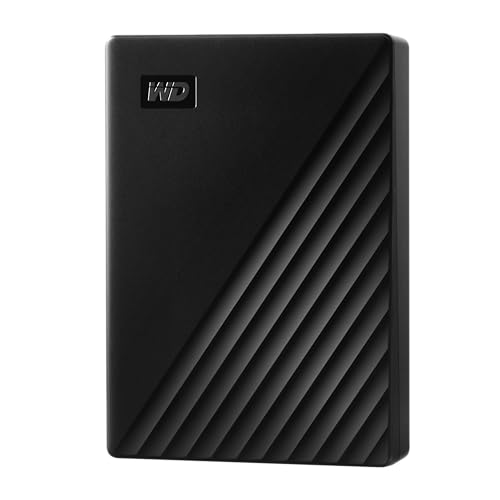
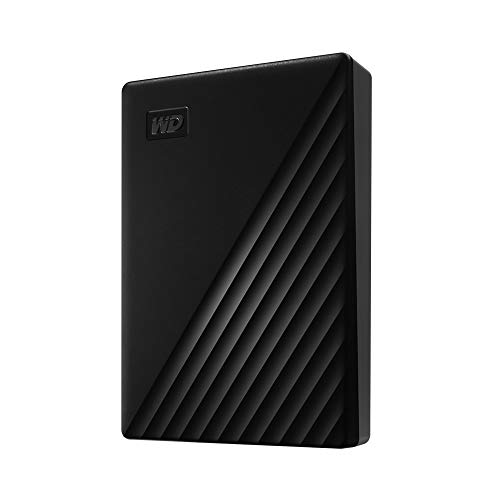
Seagate holds the largest capacity here: the 8TB BarraCuda internal drive and the 8TB Expansion desktop drive each hold 8000 GB. The largest WD drive is the 6TB My Passport at 6000 GB, followed by the 4TB My Passport at 4000 GB. The smallest WD drive is the 1TB My Passport Ultra at 1000 GB, and the smallest Seagate drive is the 2TB Portable at 2000 GB. Both sides cover portable storage, but only Seagate reaches 8000 GB here.
Drive weight
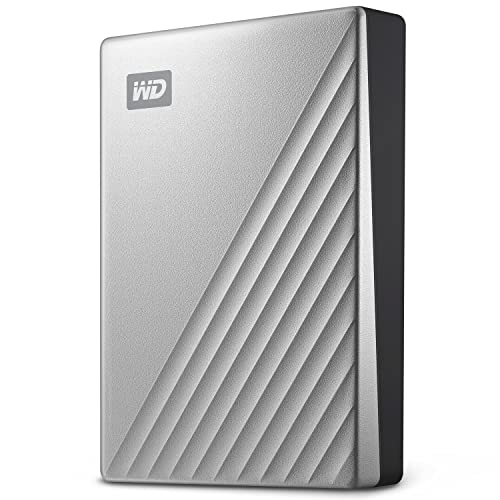
The WD 1TB My Passport Ultra weighs 0.29 lb, the lightest figure here. The WD 6TB and 4TB My Passport drives each weigh 0.46 lb, and the Seagate 2TB Portable weighs 0.42 lb. The heavier Seagate drives are the 8TB BarraCuda at 1.39 lb and the 8TB Expansion desktop drive at 2.85 lb. The two 8TB Seagate drives are the heaviest here, while the three WD drives stay under half a pound.
Connection and interface
The WD drives connect over USB: the 6TB and 4TB My Passport drives use USB 3.1 and USB 3.0, and the 1TB My Passport Ultra uses USB-C and USB 3.1. The Seagate 2TB Portable and the 8TB Expansion desktop drive use USB 3.0, and the Expansion drive also needs a power adapter. The Seagate 8TB BarraCuda is the only internal drive here, connecting over SATA 6 Gb/s. The BarraCuda also states a sustained transfer rate of 190MB/s. The WD 1TB My Passport Ultra is formatted for Windows.
Which one to choose
Choose WD if
- You want the 6TB My Passport with 6000 GB of portable storage and a 3-year warranty.
- You want password protection with hardware encryption, as on the WD My Passport drives.
- You want the lightest drive here, the 1TB My Passport Ultra at 0.29 lb with USB-C.
Choose Seagate if
- You want 8000 GB of storage, as on the Seagate 8TB BarraCuda or 8TB Expansion drive.
- You want a 2-year warranty, as on the Seagate 8TB BarraCuda internal drive.
- You want plug-and-play backup with no software required, as on the Seagate 2TB Portable.
FAQ
Which side holds more storage?
Seagate. The 8TB BarraCuda and the 8TB Expansion drive each hold 8000 GB, while the largest WD drive, the 6TB My Passport, holds 6000 GB.
Which drives are the lightest here?
The WD drives. The 1TB My Passport Ultra weighs 0.29 lb, and the 6TB and 4TB My Passport drives each weigh 0.46 lb. The lightest Seagate drive is the 2TB Portable at 0.42 lb.
What warranty does each side offer?
Every WD drive here carries a 3-year warranty. On the Seagate side, the 2TB Portable carries a 1-year warranty and the 8TB BarraCuda carries a 2-year warranty.
Bottom line
Buy WD if you want a portable drive with a 3-year warranty and hardware encryption, as on the 6TB My Passport. Buy Seagate if you want 8000 GB of storage, as on the 8TB BarraCuda with its 2-year warranty or the 8TB Expansion desktop drive.
Keep comparing

Written by Nathan Reeve, WiseSplurge editor
Specs come from each maker's Amazon listing and were last checked on November 29, 2026. Each WiseScore (out of 10) blends those specs with Amazon sales data. We compare published figures rather than testing products in person.