Home/Hobbies & Crafts/FDM Printers
FDM Printers
Our main fdm printers guide is pinned first. The other 11 narrow the list to a specific need.

Best 3d Printer (2026)
Top pick: FLASHFORGE AD5X Multi-Color 3D Printer

Best 3d Printer for a Beginner (2026)
Top pick: Bambu Lab P1S 3D Printer

Best Large 3d Printer (2026)
Top pick: Creality K2 Plus Combo 3D Printer

Best Enclosed 3d Printer (2026)
Top pick: FLASHFORGE Adventurer 5M Pro 3D Printer
Best Professional 3d Printer (2026)
Top pick: Creality K2 Plus Combo 3D Printer

Best Metal 3d Printer (2026)
Top pick: FLASHFORGE Adventurer 5M 3D Printer

Best Multi Filament 3d Printer (2026)
Top pick: FLASHFORGE Creator 5 Multi Color 3D Printer

Best Multicolor 3d Printer for Beginners (2026)
Top pick: FLASHFORGE AD5X Multi-Color 3D Printer 4 Colors
Best Industrial 3d Printer (2026)
Top pick: FLASHFORGE Adventurer 5M 3D Printer

Best 3d Printer for Warhammer 40k (2026)
Top pick: Anycubic Kobra X Multicolor 3D Printer

Best and Fastest 3d Printer (2026)
Top pick: ELEGOO Centauri 2 Combo 3D Printer
Best Dlp 3d Printer (2026)
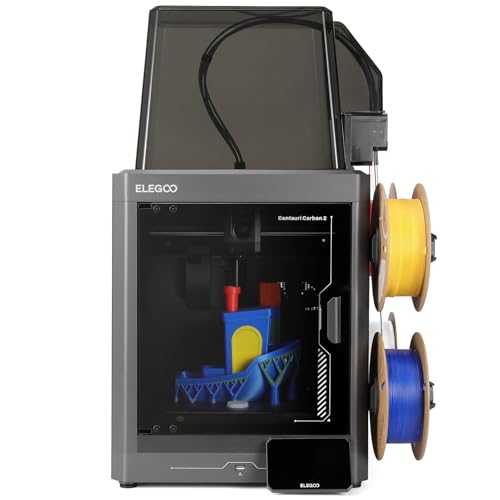
Top pick: ELEGOO Centauri Carbon 2 Combo 3D Printer
How to choose a fdm printer
FDM printers in this category separate on the details that decide how fast each print runs and how much attention it needs. Flow rate sets how much filament the hotend moves each second, the extruder layout decides how the printer feeds flexible and abrasive filament, and the screen size sets how you control the machine at the printer itself. Weigh those three against the models you print before comparing speed, volume, and color counts.
Flow rate in cubic millimeters per second
Print speed is only half the story: flow rate states how much melted filament the hotend pushes each second, and a printer cannot hold its top speed on wide lines without it. Stated flow runs from 32mm³/s on the Flashforge Adventurer 5M and the Creator 5 to 40mm³/s on the Creality K2 Combo, the K2 Pro Combo, and the QIDI Max4, and 50mm³/s on the Sovol SV08 MAX. The Adventurer 5M pairs its 32mm³/s nozzle with a 50W ceramic heater, and the K2 Combo pairs its 40 mm³/s hotend with direct drive extrusion. Compare flow beside speed before judging a 600mm/s rating.
Direct drive extruders
Direct drive puts the extruder on the print head, so the motor pushes filament a short distance into the nozzle instead of through a long tube. Seven models here state direct drive: the Creality K2 Combo, the K2 Pro Combo, and the K2 Plus Combo, the Ender 3 V3 SE and the Ender-3 V3 Neo, the Flashforge AD5X, and the Adventurer 5M. The Ender 3 V3 SE states its Sprite Direct Drive Extruder feeds PLA, PETG, and TPU smoothly, and the K2 Pro Combo states hardened steel gears that handle abrasive filaments like carbon fiber. The rest state no extruder type, so check the listing when flexible or abrasive filament is on your list.
Touchscreen size on the printer
The screen is the control panel when the printer runs without a computer. Stated touchscreens run from a 3.5-inch touchscreen on the Snapmaker U1 to a 4.3-inch touchscreen on the Flashforge Adventurer 5M Pro and a 5-inch touchscreen on the ELEGOO Centauri 2 and the Centauri 2 Combo. The Snapmaker U1 pairs its 3.5-inch touchscreen with remote app control, and the Adventurer 5M Pro pairs its 4.3-inch touchscreen with filament detection and power loss recovery. Most printers here state no screen size, so check the listing when on-printer control matters to you.