Home/Computers & Office/Video Conference Cameras
Video Conference Cameras
Our main video conference cameras guide is pinned first. The other 5 narrow the list to a specific need.
Best Video Conference Camera (2026)
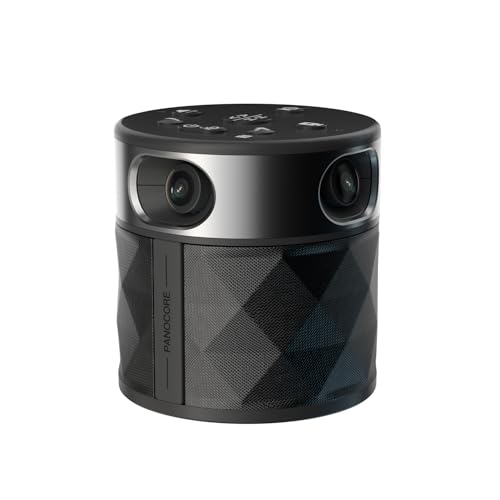
Top pick: PANOCORE PANOCORE360 All-in-One Meeting Camera
Best 360 Meeting Camera (2026)
Top pick: PANOCORE PANOCORE360 All-in-One Meeting Camera

Best 4K Video Conference Camera (2026)
Top pick: WYRESTORM 4K Conference Room Camera System

Best Conference Camera for Microsoft Teams (2026)
Top pick: Owl Labs Meeting Owl 3

Best Video Conference Camera for Mac (2026)
Top pick: RayBit TB5 Video Conferencing System

Best Video Conference Camera for Medium Room (2026)
Top pick: Meeting Owl 4+ 360-Degree
How to choose a video conference camera
What separates video conference cameras in this category is how they plug into the room: the cable that links camera to computer, the port that carries the picture to the display, and the way you steer the camera once the meeting starts. These details decide whether the camera works where your table, display, and computer already sit, so check them before the resolution figure.
Match the connection to the display
A USB connection carries the picture to the computer, and an HDMI connection carries it to a display. The TONGVEO 4K camera with 3x optical zoom outputs 4K 30fps video through HDMI and 1080p through USB 3.0, so the same camera shows a different figure on each connection. Its 12x Zoom sibling also offers HDMI and USB 3.0 outputs, and the RayBit TB5 connects through USB-C or USB-A. NEARITY's 360 Alien connects by USB cable or a WiFi adapter, and the TONGVEO PTZ camera adds RS232 and RS485 interfaces for joystick control. Check which ports your computer and display already have, then match the camera to the 4K 30fps HDMI output or the 1080p USB 3.0 output.
Check how far the cable reaches
The cable decides how far the camera can sit from the computer. Yealink's UVC34 ships with a 7m USB-B to USB-A cable, and the Meeting Owl 3 bundle includes a 16 ft USB-C to USB-C cable. The TONGVEO 4K PTZ kit includes a 9.8 ft USB 3.0 cable for the camera and a 4.9 ft USB 2.0 cable for the speakerphone. A USB splitter and a power adapter come with the PANOCORE360 for older or low-power computers. Cable length runs from 4.9 ft to 7m across these kits, so measure the distance from the table to the computer before you buy.
Choose how you steer the camera
Some cameras move on a hand wave, some from a phone, and some from buttons on the device. The TONGVEO 4K PTZ camera answers 6 gestures: OK turns AI-tracking on, V enters solo-tracking, L zooms in, One zooms out, Good enters multi-human tracking, and Palm turns AI-tracking off. During a meeting, the Meeting Owl Pro answers to the iOS or Android Meeting Owl mobile app. The NUROUM C40 has a remote control and top buttons to turn off the camera and mute the microphones, and the NEARITY 360 Alien has a remote control and top buttons to adjust volume, AI features, and video settings. Pick the control method you will actually reach for in a live meeting.