Home/Computers & Office/Scanners
Scanners
Our main scanners guide is pinned first. The other 6 narrow the list to a specific need.

Best Compact Printer Scanner (2026)
Top pick: ScanSnap iX1300 Wireless or USB Double-Sided Color Document Scanner

Best Document Receipt Scanner (2026)
Top pick: ScanSnap iX2500 Wireless or USB High-Speed Document Scanner

Best Scanner with Flatbed and Document Feeder (2026)
Top pick: HP ScanJet Pro 3600 f1 Flatbed Document Scanner
Best Adf Scanner (2026)
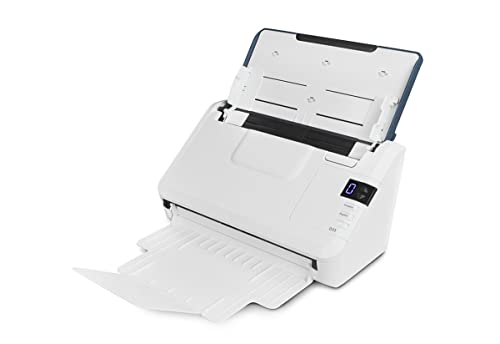
Top pick: Xerox Visioneer Xerox D35 Scanner
Best Pdf Scanner for Windows (2026)
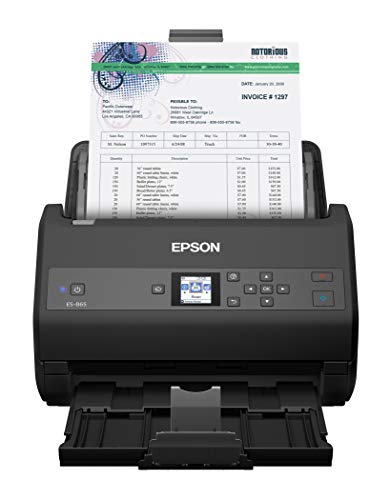
Top pick: Epson Workforce ES-865 High Speed Color Duplex Document Scanner

Best Scanner for Photo Albums (2026)
Top pick: Net Straight FastFoto FF-680W Wireless High-Speed Photo Scanner

Best Scanner for 4x6 Photos (2026)
Top pick: AMBIR Photo Scanner
How to choose a scanner
Scanners here split into two kinds: document scanners that pull a stack through a feeder and scan both sides, and photo scanners that take prints one at a time or in small batches. Document scanners quote pages per minute and feeder size; photo scanners quote dots per inch and seconds per print. Power is a third split: some draw power from USB or a battery, while the HPPS200 runs on a basic AC wall adapter.
Look for feeding protection
A feeder that misfeeds can pull two pages at once or damage the original. The ScanSnap iX2500 uses a brake roller system to feed paper smoothly, a multi-feed sensor that detects pages stuck together, and skew detection to prevent paper damage and data loss. The Fujitsu fi-7280 uses a skew reducer for stable feeding and a paper protection function that keeps papers from being damaged, and it scans sticky notes, taped receipts, and labels while securing against multifeeds. The Epson Workforce ES-C220 adds dirt detection, paper skew correction, and staple protection. Feeders with these features run from a 20-page auto document feeder on the Epson ES-C220 to a 100-sheet document feeder on the ScanSnap iX2500, with the Fujitsu fi-7280 loading up to 80 sheets at a time.
Check the image cleanup
Scans of imperfect originals need cleanup before they are useful. The Xerox D35 uses Visioneer Acuity technology to improve the visual clarity of every scanned image. The Brother DS-640 adds automatic color detection and adjustment, image rotation, bleed through prevention, background removal, text enhancement, and color drop. The Epson Workforce ES-C220 adds automatic cropping and background removal. The FastFoto FF-680W corrects color on old pictures automatically and reduces red-eye while improving brightness. These cleanup features appear on scanners from the 16 ppm Brother DS-640 to the 45 ppm Xerox D35, and from 200 dpi on the Xerox D35 to 600 dpi on the FastFoto FF-680W.
Check how the scanner gets power
Power decides where the scanner can work. The Brother DS-640 draws power through the included micro USB cable, so it works even where there is no outlet available. The HPPS100 powers through USB 2.0 with its cable included, and the AMBIR photo scanners run on a single USB cable. The Flip-Pal works from battery power and saves scans to an SD card, so no computer is needed at scan time. The HPPS200 powers through a basic AC wall adapter instead. Scanners that run on USB or battery power weigh from 0.54 lb to 3.5 lb across the two AMBIR photo scanners, with the Flip-Pal at 1.25 lb.