Home/Computers & Office/Digital Whiteboards
Digital Whiteboards
Our main digital whiteboards guide is pinned first. The other 5 narrow the list to a specific need.

Best Digital Whiteboard for Classroom (2026)
Top pick: COOLHOOD 75" Smart Board

Best Smart Board for Classroom (2026)
Top pick: COOLHOOD 65" Smart Board

Best Smart Boards for Business (2026)
Top pick: JASZDOT 75'' Smart Board
Best Smart Boards for Conference Rooms (2026)
Top pick: JASZDOT 75'' Smart Board
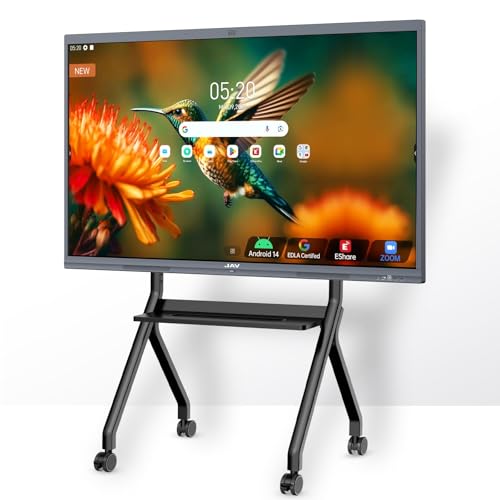
Best Interactive Smart Board (2026)
Top pick: JAV 86" Smart Board Interactive Whiteboard
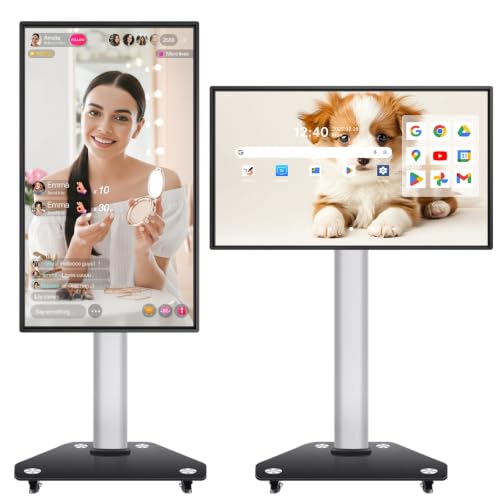
Best Smart Board for Preschool Classroom (2026)
Top pick: JAV 49" Smart Board
How to choose a digital whiteboard
Digital whiteboards here differ less in the picture than in how they plug into the room around them. Some boards put wired ports on the front, rear and bottom of the frame, while others take wireless casts from up to 16 devices at once. The box splits the lineup again: some boards ship with two stylus pens, a remote and the cables, and some ship with one pen and a power cord.
Ports on the front, rear and bottom
Wired connections decide how a laptop, a USB drive or a room system plugs into the board. Front ports matter where devices change hands through the day, and the JASZDOT puts two USB ports, one HDMI and one TOUCH input on the front panel. The rear adds TOUCH, two USB ports, a TF card slot, HDMI, RS232 and a headphone jack, while the bottom carries LAN IN, LAN OUT, HDMI, VGA, VGA IN, MIC IN, AV IN, AV OUT, COAXIAL and DisplayPort. For a simpler setup, the Dornium gives HDMI, DP, Type-C, VGA, USB2.0, USB3.0 and LAN, while the NEWORK P series puts a full-function USB-C port on the front with 65W charging, plus HDMI Out and LAN Out. The BIG VUE connects through USB-C, HDMI and USB Touch-Out, and the QIXZOCV and KEINONE boards take HDMI and USB-C.
How many devices can cast at once
Wireless casting decides how many screens can share at once. The largest casting count here is 16 devices at once, on the NEWORK 65-inch board, the NEWORK 75E board and the AYSTekMann. The YCKJNB and the TIBURN take up to 4 users casting at the same time, and the JAV 49 takes up to 4 devices at once for split-screen multitasking. Split-screen itself varies: the QIXZOCV shows content from up to 4 different sources at the same time, and the NEWORK E series runs two apps side by side. AirPlay, Miracast and Chromecast appear on the BIG VUE, the JAV 86 and JAV 55 boards and the JYXOIHUB. For notes and files, the COOLHOOD, the JAV 86, the Dornium and the NEWORK E series share them with a QR code scan.
Stylus pens, remotes and cables included
The box decides what else to buy on day one, and the pen count is the figure to check. Two stylus pens ship with the HORION and the BIG VUE, and the BIG VUE adds a remote control, a USB-C cable, a USB A-B cable and an HDMI cable. One touch pen ships with the JASZDOT, beside a remote control, a 60-inch AC power cord, 6 M8 screws, a Phillips screwdriver and a screen casting box. The JAV 49 ships with a WiFi receiver, two stylus pens, a remote and a power cord, while the JYXOIHUB ships with one ordinary stylus and one power cord.