Home/Cameras & Optics/Thermal Cameras
Thermal Cameras
Our main thermal cameras guide is pinned first. The other 3 narrow the list to a specific need.

Best Thermal Imaging Camera for I Phone (2026)
Top pick: RISION Magic Thermal Camera

Best Thermal Camera (2026)
Top pick: AMPBANK H128 Thermal Camera

Best Handheld Thermal Camera (2026)
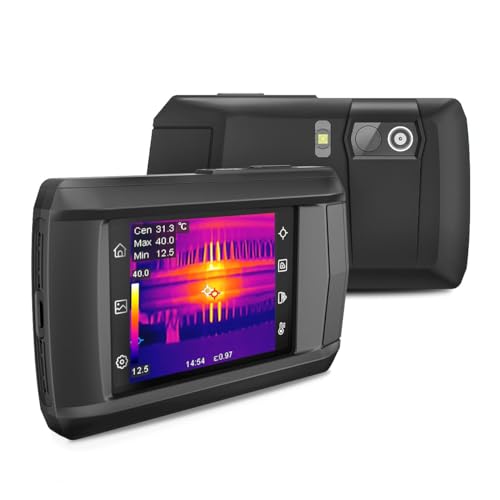
Top pick: TOPDON TC004 Mini Thermal Imaging Camera
Best Thermal Camera Under $500 (2026)
Top pick: HSFTOOLS HP96 Thermal Imaging Camera
How to choose a thermal camera
Thermal cameras in this category differ less in what they see than in how they frame it. Field of view decides how much wall, ceiling or panel fits in one shot. Color palettes and imaging modes decide how heat patterns read on screen. Temperature alarms and measurement points decide how much the camera watches for you while you scan.
Field of view decides the size of each shot
Field of view is the width of the scene the lens takes in at once, and it runs from 40°x30° on the TOPDON TC004 Mini to 52°x39° on the RISION Magic, with the FOXWELL RT280 at 50°x38° and the GOYOJO GW192A offering a 50° field of view. A wider view covers more ceiling, floor or wall from one standing position, so a whole breaker panel or a stretch of underfloor heating fits in a single image. A narrower view shows a smaller area at a time, which suits close work on a single electrical component. Buyers scanning rooms for heat loss gain from the wide end, while buyers checking one connection at a time gain from the narrow end. Match the angle to the size of the area scanned most often.
Color palettes and imaging modes shape the picture
A color palette maps temperature to color, and the choice runs from 5 palettes on the TOPDON TC004 Mini — White Hot, Black Hot, Iron, Rainbow and Red Hot — to 15 palettes on the AccuMEMS SK01, with 6 on the Raythink EX10 and 9 on the Raythink EX10 Pro. Different palettes make the same heat pattern read differently, so switching palettes can separate a warm pipe from a warm wall. Imaging modes change what the screen shows: the Raythink IX1 GO offers 3 modes, the EX10 Pro offers 4 — Thermal, Visible, Fusion and Picture-in-Picture — and the Thermal Master Thor002 offers 5, including Pro-Mix and IR-Fuse. Fusion and picture-in-picture lay the thermal image over a visible-light view, which ties a hot spot to the exact wire, screw or terminal behind it.
Temperature alarms and measurement points watch the scene
Temperature alarms warn when a reading passes a preset level, and they appear on the TOPDON TC004 Mini, which captures a photo when its warning triggers, the Thermal Master Thor 001, the Raythink EX10 Pro and the AccuMEMS SK01, which frames anomalies and triggers alarms in its scene presets. The Raythink IX1 GO adds an alert when two selected areas differ by more than 6°C. Measurement points show readings at several spots at once: the TC004 Mini tracks the highest, lowest and central spots, the Raythink EX10 and the Thor002 track 6 points, and the Thor 001 and the EX10 Pro track 9 points, including center, hottest, coldest and six user-defined spots. More points mean fewer repeat passes over the same scene.